
Documentation
Everything you need to add per-call billing to your MCP tools, REST APIs, and serverless functions.
Not Just MCP — SettleGrid Works with Any API
While MCP is our primary focus, the SettleGrid SDK wraps any handler function. If you have a REST endpoint, an Express route, a Next.js API route, or a serverless function — SettleGrid can meter and bill it with the same two-line pattern.
✓MCP servers — sg.wrap() around any tool handler
✓REST APIs — settlegridMiddleware() for Express, Fastify, Hono
✓Next.js API routes — middleware in route.ts handlers
✓Serverless functions — Vercel, AWS Lambda, Cloudflare Workers
✓AI agent endpoints — any callable function with input/output
✓gRPC / WebSocket — wrap the handler, not the transport
The SDK's wrap() function works with any async function. It extracts the API key, validates credits, runs your handler, and meters the call — regardless of protocol or framework.
Getting Started: Zero to Revenue in 5 Minutes
A step-by-step walkthrough from account creation to your first paid invocation.
1
Create Your Account
Sign up at settlegrid.ai/register — free, no credit card required.
Connect your Stripe account for payouts under Settings > Payouts. This enables automatic revenue disbursement to your bank account.
2
Create Your First Tool
Go to Dashboard > Tools > Create Tool. Set a name, slug (URL-safe identifier), description, and price per call.
Pricing guidance: Most AI tools charge 1-25 cents per invocation. Start low to attract early users, then adjust based on demand.
3
Install the SDK
Terminal
npm install @settlegrid/mcp4
Wrap Your Handler
MCP / Function wrapper — wrap any async function with billing:
server.tsTypeScript
import { settlegrid } from '@settlegrid/mcp'

const sg = settlegrid.init({
  toolSlug: 'my-tool',
  pricing: { defaultCostCents: 5 },
})

// Your existing handler
async function myHandler(args: { query: string }) {
  const result = await doSomethingUseful(args.query)
  return result
}

// Wrap it — that's it!
export const billedHandler = sg.wrap(myHandler, { method: 'search' })
REST / Express equivalent — use the middleware for HTTP routes:
app.tsTypeScript
import { settlegridMiddleware } from '@settlegrid/mcp/rest'

app.post('/api/search', settlegridMiddleware({
  toolSlug: 'my-tool',
  pricing: { defaultCostCents: 5 },
}), (req, res) => {
  // Your handler runs after billing check
  res.json({ result: 'Hello from a monetized endpoint!' })
})
5
Test & Go Live
Create a test API key in your dashboard, then make a test invocation:
Terminal
curl -X POST https://your-server.com/api/search \
  -H "x-api-key: sg_test_your_key_here" \
  -H "Content-Type: application/json" \
-d '{"query": "test"}'- Check your dashboard — you should see the invocation appear in real time.
- When ready, activate your tool and share it with consumers.
- Your tool gets a public storefront at
settlegrid.ai/tools/your-slug.
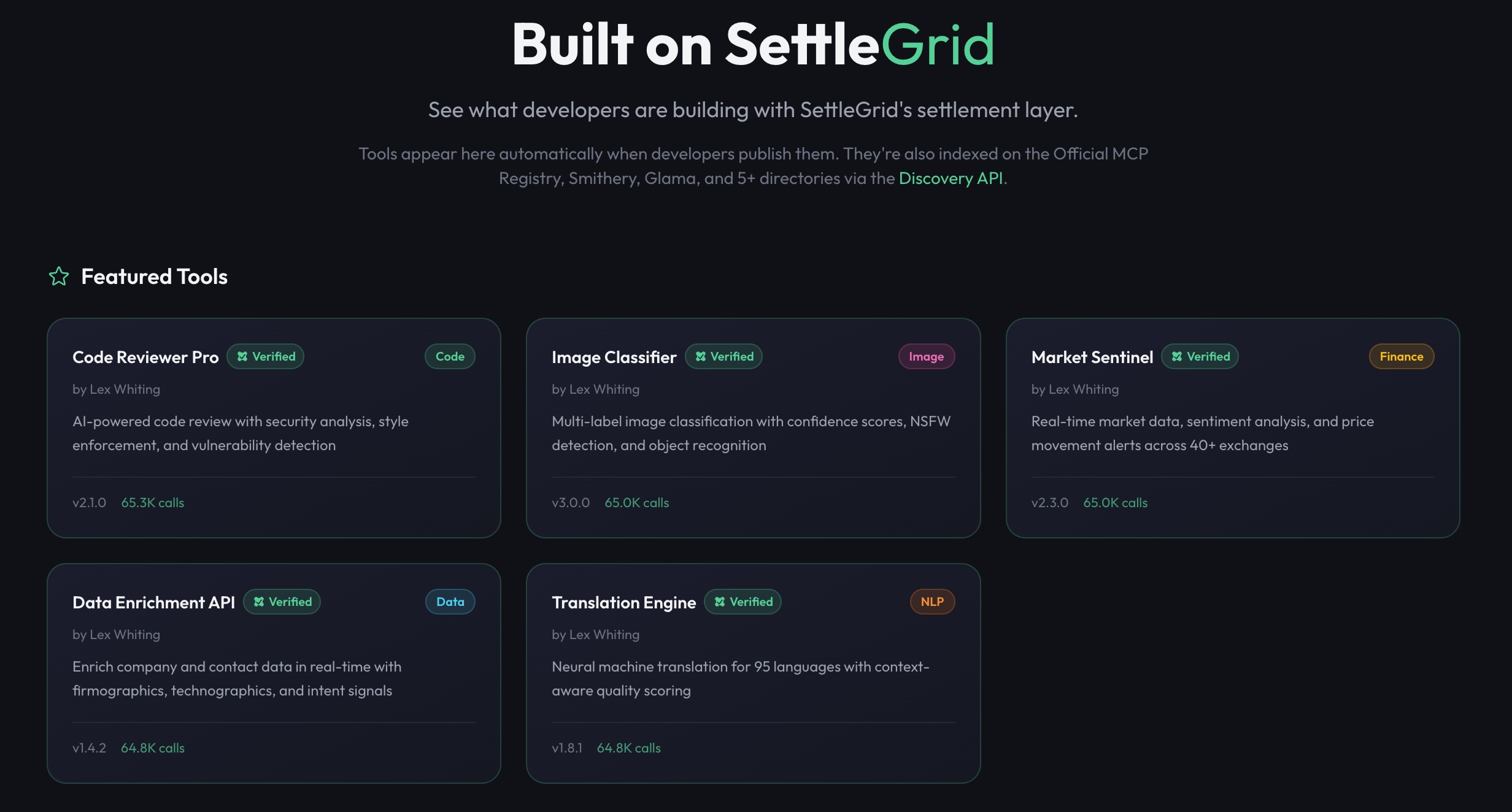
Your tools appear in the Showcase after you deploy
CLI Tools
Three command-line tools to scaffold, discover, and integrate SettleGrid-powered services.
1. Scaffold a New Tool
Terminal
npx create-settlegrid-toolGenerates a complete MCP server project with SettleGrid billing, tests, Dockerfile, and README. Choose from 4 templates (blank, rest-api, openapi, mcp-server) and 3 deploy targets (Vercel, Docker, Railway). You get a production-ready project in seconds with pricing, error handling, and CI already wired in.
2. MCP Discovery Server
Terminal
npx @settlegrid/discoveryAdd to any MCP client so AI agents can discover SettleGrid-powered tools at runtime. Available tools: search_tools, get_tool, list_categories, get_developer.
Claude Desktop configuration:
claude_desktop_config.jsonJSON
{
  "mcpServers": {
    "settlegrid-discovery": {
      "command": "npx",
      "args": ["-y", "@settlegrid/discovery"]
    }
  }
}
3. Core SDK
Terminal
npm install @settlegrid/mcpThe SDK. Call settlegrid.init() with your tool slug and pricing, then sg.wrap() any async function to enable per-call billing. Works with MCP servers, REST APIs, and AI agents. See the SDK Reference for the full API.
Quick Start
Get your first monetized tool running in under 5 minutes.
1. Install the SDK
Terminal
npm install @settlegrid/mcp2. Register as a developer
Create a developer account and connect your Stripe account to receive payouts.
3. Create a tool
In your dashboard, create a tool with a unique slug and pricing configuration.
4. Wrap your handler
server.ts
import { settlegrid } from '@settlegrid/mcp'

const sg = settlegrid.init({
  toolSlug: 'weather-api',
  pricing: {
    defaultCostCents: 1,
    methods: {
      'get-forecast': { costCents: 2 },
      'get-historical': { costCents: 5 },
    },
  },
})

// Wrap any function — credits checked and deducted automatically
const getForecast = sg.wrap(
  async (args: { city: string }) => {
    const data = await fetchWeatherData(args.city)
    return { forecast: data }
  },
  { method: 'get-forecast' }
)

// Use in your MCP server
server.tool('get-forecast', getForecast)
5. Share your tool
Your tool gets a public storefront at settlegrid.ai/tools/your-slug. Consumers purchase credits and receive API keys to use your tool.
SDK Reference
settlegrid.init(options)
Initialize the SDK for your tool.
interface InitOptions {
  toolSlug: string          // Your tool's unique slug
  apiUrl?: string           // API URL (default: https://settlegrid.ai)
  pricing: {
    defaultCostCents: number  // Default cost per call in cents
    methods?: Record<string, {
      costCents: number       // Method-specific cost
      displayName?: string    // Optional display name
    }>
  }
  debug?: boolean           // Enable debug logging
  cacheTtlMs?: number       // Key validation cache TTL (default: 5min)
  timeoutMs?: number        // API timeout (default: 5000ms)
}
instance.wrap(handler, options?)
Wraps a function with billing middleware. The wrapped function extracts the API key, validates credits, executes your handler, and meters the usage.
const wrappedFn = sg.wrap(
  async (args: MyArgs) => { /* your logic */ },
  { method: 'my-method' }  // Optional: defaults to 'default'
)

// Call the wrapped function with context
const result = await wrappedFn(args, {
  headers: { 'x-api-key': 'sg_live_...' },
  // or metadata: { 'settlegrid-api-key': '...' }
})
Error Handling
import {
  InvalidKeyError,         // 401 - Invalid API key
  InsufficientCreditsError, // 402 - Not enough credits
  ToolNotFoundError,        // 404 - Tool not found
  RateLimitedError,         // 429 - Rate limited
} from '@settlegrid/mcp'

try {
  const result = await wrappedFn(args, ctx)
} catch (err) {
  if (err instanceof InsufficientCreditsError) {
    console.log(`Need ${err.requiredCents}¢, have ${err.availableCents}¢`)
  }
}
API Reference
The SettleGrid REST API is available at https://settlegrid.ai/api.
POST
/api/auth/developer/registerRegister developer accountPOST
/api/auth/developer/loginDeveloper loginGET
/api/auth/developer/meGet developer profilePOST
/api/toolsCreate toolGET
/api/toolsList developer toolsPATCH
/api/tools/:idUpdate toolPATCH
/api/tools/:id/statusToggle tool statusGET
/api/tools/public/:slugGet tool storefront dataPOST
/api/sdk/validate-keyValidate API key (SDK internal)POST
/api/sdk/meterMeter invocation (SDK internal)POST
/api/consumer/keysCreate consumer API keyPOST
/api/billing/checkoutCreate checkout sessionGET
/api/payoutsList payout historyPOST
/api/payouts/triggerRequest manual payoutPricing Model
SettleGrid uses a simple, transparent pricing model:
- Developers: Free to sign up. Set your own prices. Keep up to 100% of revenue.
- Consumers: Prepaid credits. Purchase $5, $20, $50, or custom amounts.
- Platform fee: Progressive take rate: 0% on first $1K/mo, 2% on $1K-$10K, 2.5% on $10K-$50K, 5% above $50K.
- Payouts: Daily, weekly, or monthly via Stripe Connect. $1 minimum — the lowest in the industry.
Templates
Open-source starter templates you can fork and customize. Each is a complete, runnable TypeScript file with SettleGrid billing already integrated.
MCP Server Templates sg.wrap()
Web Search Tool
3¢/queryBrave Search API wrapper with web and news methods
Document Analyzer
4-10¢/callClaude-powered analysis, summaries, and field extraction
Database Query Tool
5¢/queryNatural language to SQL with safety validation
Image Generator
8-15¢/imageDALL-E 3 wrapper with standard, HD, and variation modes
Code Reviewer
8-15¢/reviewAI code review, security scanning, and suggestions
Lead Enrichment
2-8¢/callPeopleDataLabs company/contact enrichment and email verification
Web Scraper
2-5¢/callFirecrawl-powered scraping, structured extraction, and batch scrape
Speech Transcription
4-8¢/minWhisper transcription with speaker detection and Claude summaries
Email Outreach
1-3¢/callResend email sending, templates, and MX-based validation
Financial Data
2-5¢/callAlpha Vantage quotes, historical prices, and financial statements
Translation
1-3¢/callDeepL translation, language detection, and batch translate (29 languages)
Sentiment Analyzer
2-4¢/callClaude-powered sentiment scoring, batch analysis, and entity extraction
PDF Processor
3-6¢/callPDF text extraction, structured field parsing, and markdown conversion
REST API Templates settlegridMiddleware()
Next.js App Router
2-5¢/callMulti-method route with GET lookups and POST enrichment
Express.js Middleware
3-10¢/callPer-route billing middleware with search and AI analysis endpoints
AI Proxy with Markup
1-8¢/callResell OpenAI access with model-based pricing and automatic margin
Dual Protocol (MCP + REST)
2-5¢/callSame tool exposed as both MCP handler and REST endpoint
Browse all 17 templates at settlegrid.ai/servers.
Discovery & Distribution
SettleGrid tools are automatically discoverable across 8+ registries including the Official MCP Registry, Smithery, Glama, and Cursor Directory.
Public APIs for discovering tools, an MCP Discovery Server for AI clients, badge endpoints for README embeds, and developer profiles.
Discovery API
Public endpoints — no authentication required. Base URL: https://settlegrid.ai
GET
/api/v1/discoverSearch & browse toolsQuery parameters
| Param | Type | Description |
|---|---|---|
q | string | Free-text search (name, description, tags) |
category | string | Filter by category slug (e.g. data, nlp, finance) |
limit | number | Results per page, 1-100 (default: 20) |
offset | number | Pagination offset (default: 0) |
sort | string | popular | newest | name (default: popular) |
Response shape
{
  "tools": [
    {
      "slug": "web-search-pro",
      "name": "Web Search Pro",
      "description": "Search the web with AI-powered relevance ranking and summarization",
      "category": "finance",
      "priceCents": 5,
      "developer": { "slug": "fieldbrief", "name": "Fieldbrief" },
      "rating": 4.8,
      "reviewCount": 42,
      "totalInvocations": 128500,
      "status": "active"
    }
  ],
  "total": 156,
  "limit": 20,
  "offset": 0,
  "hasMore": true
}
Examples
cURL
# Search for "weather" tools, sorted by popularity
curl "https://settlegrid.ai/api/v1/discover?q=weather&sort=popular&limit=10"

# Browse all finance tools
curl "https://settlegrid.ai/api/v1/discover?category=finance&limit=50"JavaScriptTypeScript
const res = await fetch(
  'https://settlegrid.ai/api/v1/discover?q=weather&sort=popular&limit=10'
)
const { tools, total, hasMore } = await res.json()
console.log(`Found ${total} tools, showing ${tools.length}`)
GET
/api/v1/discover/{slug}Get full tool detailsReturns tool info, reviews, changelog, and a ready-to-use quickStart code snippet.
{
  "tool": {
    "slug": "web-search-pro",
    "name": "Web Search Pro",
    "description": "...",
    "category": "finance",
    "priceCents": 5,
    "methods": {
      "screen": { "costCents": 5 },
      "batch-screen": { "costCents": 25 }
    },
    "developer": { "slug": "fieldbrief", "name": "Fieldbrief", "reputation": 92 },
    "rating": 4.8,
    "reviewCount": 42,
    "currentVersion": "2.1.0",
    "status": "active",
    "createdAt": "2026-01-15T00:00:00Z"
  },
  "reviews": [
    { "rating": 5, "comment": "Fast and accurate", "createdAt": "2026-03-10T00:00:00Z" }
  ],
  "changelog": [
    { "version": "2.1.0", "type": "minor", "notes": "Added image search support", "date": "2026-03-01" }
  ],
  "quickStart": "import { settlegrid } from '@settlegrid/mcp'\n\nconst sg = settlegrid.init({\n  toolSlug: 'web-search-pro',\n  pricing: { defaultCostCents: 5 },\n})\n\nconst screen = sg.wrap(async (args) => {\n  // Your search logic\n})"
}
cURL
curl "https://settlegrid.ai/api/v1/discover/web-search-pro"JavaScriptTypeScript
const res = await fetch('https://settlegrid.ai/api/v1/discover/web-search-pro')
const { tool, reviews, changelog, quickStart } = await res.json()
console.log(tool.name, '—', tool.rating, 'stars')
GET
/api/v1/discover/categoriesList categories with tool counts{
"categories": [
{ "slug": "finance", "name": "Finance & Compliance", "count": 34 },
{ "slug": "data", "name": "Data & Enrichment", "count": 28 },
{ "slug": "nlp", "name": "NLP & Text", "count": 22 },
{ "slug": "code", "name": "Code & Dev Tools", "count": 19 },
{ "slug": "search", "name": "Search & Discovery", "count": 15 },
{ "slug": "image", "name": "Image & Vision", "count": 12 }
]
}cURL
curl "https://settlegrid.ai/api/v1/discover/categories"JavaScriptTypeScript
const res = await fetch('https://settlegrid.ai/api/v1/discover/categories')
const { categories } = await res.json()
categories.forEach(c => console.log(`${c.name}: ${c.count} tools`))
GET
/api/v1/discover/developers/{slug}Developer profile & tools{
"developer": {
"slug": "fieldbrief",
"name": "Fieldbrief",
"bio": "Building AI infrastructure for regulated industries",
"avatarUrl": "https://settlegrid.ai/avatars/fieldbrief.png",
"reputation": 92,
"tier": "Platinum",
"totalTools": 6,
"totalConsumers": 1840,
"joinedAt": "2026-01-10T00:00:00Z"
},
"tools": [
{ "slug": "web-search-pro", "name": "Web Search Pro", "rating": 4.8, "priceCents": 5 },
{ "slug": "data-enrichment", "name": "Data Enrichment API", "rating": 4.7, "priceCents": 10 }
]
}cURL
curl "https://settlegrid.ai/api/v1/discover/developers/fieldbrief"JavaScriptTypeScript
const res = await fetch('https://settlegrid.ai/api/v1/discover/developers/fieldbrief')
const { developer, tools } = await res.json()
console.log(`${developer.name} (${developer.tier}) — ${tools.length} tools`)
MCP Discovery Server
Let AI clients discover and evaluate SettleGrid tools via the Model Context Protocol. Package: @settlegrid/discovery
Install
Terminal
# Run directly (no install)
npx @settlegrid/discovery

# Or install globally
npm install -g @settlegrid/discovery
Claude Desktop configuration
Add to ~/Library/Application Support/Claude/claude_desktop_config.json:
claude_desktop_config.json
{
  "mcpServers": {
    "settlegrid-discovery": {
      "command": "npx",
      "args": ["-y", "@settlegrid/discovery"],
      "env": {
        "SETTLEGRID_API_URL": "https://settlegrid.ai"
      }
    }
  }
}
Available MCP tools
search_toolsparams: q, category, limit, offset, sortSearch the SettleGrid marketplace by keyword, category, or sort order. Returns tool names, slugs, ratings, and pricing.
get_toolparams: slugGet full details for a tool by slug, including reviews, changelog, and a quickStart code snippet ready to copy into a project.
list_categoriesparams: (none)List all tool categories with the number of active tools in each. Useful for browsing the marketplace.
get_developerparams: slugGet a developer profile including reputation tier, bio, and published tools.
Environment variables
| Variable | Default | Description |
|---|---|---|
SETTLEGRID_API_URL | https://settlegrid.ai | Base URL for the Discovery API. Override for self-hosted or staging. |
Badge API
SVG badges for READMEs, docs, and marketing pages. All endpoints return image/svg+xml and are CDN-cacheable.
README Badges
Copy these Markdown snippets into your GitHub README, docs, or website. Each badge is a clickable link that directs visitors to your tool or profile on SettleGrid.
Tool status badge
Shows your tool name and live status. Green when active, gray when draft. Replace your-tool-slug with your actual slug.
Markdown
[](https://settlegrid.ai/tools/your-tool-slug)Developer reputation badge
Shows your name and reputation tier (Bronze, Silver, Gold, or Platinum). Replace your-dev-slug with your developer slug.
Markdown
[](https://settlegrid.ai/dev/your-dev-slug)Powered by SettleGrid
A generic badge that works in any project. Links back to SettleGrid.
Markdown
[](https://settlegrid.ai)GET
/api/badge/powered-byGeneric 'Powered by SettleGrid' badgeEmbed in any Markdown file:
Markdown
[](https://settlegrid.ai)HTML
<a href="https://settlegrid.ai">
  <img src="https://settlegrid.ai/api/badge/powered-by" alt="Powered by SettleGrid" />
</a>
GET
/api/badge/tool/{slug}Tool-specific status badgeShows tool name and status. Color reflects status: green for active, gray for draft. Wrapping in a link makes the badge clickable:
Markdown
[](https://settlegrid.ai/tools/web-search-pro)GET
/api/badge/dev/{slug}Developer reputation badgeShows developer name and reputation tier. Tier colors: Bronze, Silver, Gold, Platinum.
Markdown
[](https://settlegrid.ai/dev/fieldbrief)Developer Profiles
Public profiles at settlegrid.ai/dev/{slug} showcase your tools, reputation, and track record.
How to enable
- Go to Dashboard > Settings > Profile
- Toggle Public Profile on
- Set a unique slug (lowercase, hyphens allowed)
- Your profile is live at
settlegrid.ai/dev/your-slug
Reputation tiers
| Tier | Score range | Badge color |
|---|---|---|
| Bronze | 0 – 39 | Amber |
| Silver | 40 – 59 | Gray |
| Gold | 60 – 79 | Yellow |
| Platinum | 80 – 100 | Purple |
How reputation affects discovery
- Tools from higher-reputation developers rank higher in search results when sorted by
popular - Platinum and Gold developers receive a verified badge on their tool storefronts
- Reputation is calculated from tool uptime, average review rating, response time, and payout consistency
- New developers start at 0 and earn points organically — reputation cannot be purchased
For a step-by-step guide to maximizing your tool's visibility, see How to Get Discovered.
GitHub App Integration
Install the SettleGrid GitHub App to automatically discover and list MCP servers from your repositories. Push code, get listed.
How It Works
- Install the app at github.com/apps/settlegrid
- Grant access to your repositories (all or selected)
- SettleGrid scans for
@settlegrid/mcpusage - Tools are auto-created as draft listings on your dashboard
- Every push to main triggers a re-scan and metadata sync
No code changes, no configuration files, no webhooks to set up. Read the full GitHub App guide.
n8n Integration
Use SettleGrid tools in n8n workflows with the official community node. Discover, invoke, and manage billing for any SettleGrid tool directly from your n8n automations.
Terminal
npm install n8n-nodes-settlegridAvailable Operations
✓List Tools — Browse all available SettleGrid tools with filtering
✓Get Tool — Retrieve full details for a specific tool by slug
✓List Categories — Get all tool categories with counts
✓List Servers — Browse MCP server listings
✓Get Server — Get MCP server details and pricing extensions
View the package on npm. n8n has 400K+ users building AI automations — your tools are instantly available to all of them.
CI/CD: Publish Action
Automate tool publishing with the SettleGrid GitHub Action. Add it to your CI/CD pipeline to publish or update tools on every push to main.
.github/workflows/publish.ymlYAML
name: Publish to SettleGrid
on:
  push:
    branches: [main]

jobs:
  publish:
    runs-on: ubuntu-latest
    steps:
      - uses: actions/checkout@v4
      - uses: settlegrid/publish-action@v1
        with:
          api-key: ${{ secrets.SETTLEGRID_API_KEY }}
What It Does
- Reads your tool configuration from
settlegrid.jsonor package.json - Creates or updates your tool listing on the SettleGrid registry
- Syncs metadata (name, description, version, pricing) automatically
- Reports publish status back to the GitHub Actions workflow
View the action on GitHub Marketplace.
Cost-Based Routing
Agents automatically find the cheapest tool meeting their quality thresholds. SettleGrid's routing engine compares price, latency, and reliability across all providers and routes to the optimal endpoint — with automatic fallback chains.
cURL
# Find the cheapest weather tool with at least 3-star rating
curl "https://settlegrid.ai/api/v1/discover/route?q=weather&max_cost=10&min_rating=3"

# Response includes a ranked list of alternatives
{
  "primary": { "slug": "weather-basic", "costCents": 2, "rating": 4.2 },
  "fallbacks": [
    { "slug": "weather-pro", "costCents": 5, "rating": 4.8 },
    { "slug": "weather-enterprise", "costCents": 10, "rating": 4.9 }
  ]
}
Why This Is Unique
Cost-based routing requires a complete catalog of tools and their real-time pricing data. SettleGrid is the only platform that combines a tool registry, pricing metadata, and quality scores in a single queryable API — making intelligent routing possible for the first time.
TypeScriptTypeScript
// Agent uses cost-based routing to find the cheapest tool
const route = await fetch(
  'https://settlegrid.ai/api/v1/discover/route?q=search&max_cost=5&min_rating=3'
).then(r => r.json())

// Call the primary tool, fall back if it fails
try {
  const result = await callTool(route.primary.slug, args)
} catch {
  for (const fallback of route.fallbacks) {
    try {
      const result = await callTool(fallback.slug, args)
      break
    } catch { continue }
  }
}
Accepting MPP Payments
SettleGrid natively accepts Stripe MPP (Machine Payments Protocol) Shared Payment Tokens alongside traditional API keys. Any agent using Stripe MPP can pay for your SettleGrid tools seamlessly — zero configuration required.
How MPP Works with SettleGrid
- An MPP agent calls your tool's proxy URL without payment
- SettleGrid returns HTTP 402 with MPP headers:
X-Payment-Protocol: MPP/1.0,X-Payment-Amount: 500 - The agent obtains a Stripe Shared Payment Token (SPT) and re-sends the request with
X-Payment-Token: spt_... - SettleGrid validates the SPT with Stripe, captures the payment, and forwards the request to your tool
- Your tool processes the request normally — the response is streamed back to the agent
MPP Agent (cURL)
# Step 1: Call without payment — get 402 with pricing
curl -X POST https://settlegrid.ai/api/proxy/your-tool \
  -H "X-Payment-Protocol: MPP/1.0" \
  -H "Content-Type: application/json" \
  -d '{"query": "example"}'

# Response: 402 Payment Required
# X-Payment-Protocol: MPP/1.0
# X-Payment-Amount: 500
# X-Payment-Currency: USD

# Step 2: Re-send with valid Stripe SPT
curl -X POST https://settlegrid.ai/api/proxy/your-tool \
  -H "X-Payment-Protocol: MPP/1.0" \
  -H "X-Payment-Token: spt_live_abc123..." \
  -H "X-Payment-Amount: 500" \
  -H "Content-Type: application/json" \
  -d '{"query": "example"}'

# Response: 200 OK (tool result)
# X-SettleGrid-Payment-Method: mpp
# X-SettleGrid-MPP-Payment-Id: pi_xxx
# X-SettleGrid-Cost-Cents: 500
Key Details
Dual payment — Tools accept both MPP (SPT) and traditional API key payments. No code changes needed on the developer side.
Standard 402 flow — When payment is missing, SettleGrid returns a proper MPP 402 response with pricing headers so agents can negotiate.
Stripe settlement — MPP payments settle through Stripe. Developers receive payouts via Stripe Connect alongside API key revenue.
MPP directory — SettleGrid publishes a /.well-known/mpp.json manifest for automatic service discovery.
Environment variable — Set STRIPE_MPP_SECRET to enable MPP payments. Optional — SettleGrid works without it.
Learn more on the MPP protocol page.
Smart Proxy
Zero-code billing. Point any API at the SettleGrid Smart Proxy — authentication, balance checks, and metering happen transparently. No SDK, no code changes.
How It Works
- Register your API endpoint URL on SettleGrid
- Get a proxied URL:
settlegrid.ai/api/proxy/your-tool - Consumers call the proxy URL with their SettleGrid API key
- Smart Proxy validates the key, checks balance, forwards to your server, meters the call
- Your server receives the request normally — no SDK needed
cURL
# Consumer calls your tool through the Smart Proxy
curl -X POST https://settlegrid.ai/api/proxy/your-tool \
  -H "x-api-key: sg_live_consumer_key_here" \
  -H "Content-Type: application/json" \
  -d '{"query": "example"}'

# Your server receives the request with billing handled automatically
Smart Proxy supports streaming (SSE), handles authentication, enforces budget limits, and works with any HTTP API. Available on the Scale plan.
Service Templates
Six ready-to-deploy non-MCP service templates for common AI service patterns. Each template is a complete project you can fork and customize.
LLM Proxy
Resell OpenAI/Anthropic access with automatic markup pricing and model selection
Browser Scraper
Headless browser automation for web scraping and data extraction
Image Generator
Wrap image generation APIs (DALL-E, Stable Diffusion) with per-image billing
Email Sender
Transactional email service with template management and per-send billing
Code Sandbox
Secure code execution environment with per-run billing and resource limits
Search API
Full-text search service with indexing and per-query billing
View source code on GitHub.
Agent-to-Agent Settlement
Native support for Google's Agent-to-Agent (A2A) protocol and multi-hop settlement. When Agent A calls Agent B which calls Agent C, SettleGrid tracks the entire chain and settles all hops atomically.
Multi-Hop Settlement
Workflow sessions — Budget-capped containers for multi-agent workflows. Create a session, delegate budgets to sub-agents, track every hop.
Atomic settlement — All hops settle together or none do. If any hop fails, the entire workflow rolls back. No partial payments.
Budget delegation — Parent agents delegate budgets to child agents. Unused budget returns to the parent automatically.
A2A skills discovery — Your tools are automatically discoverable by A2A-compatible agents via the /api/a2a/skills endpoint.
Learn more in the Agent-to-Agent solutions page.
Scheduled Invocations
Consumers can schedule automatic tool invocations using cron expressions. This enables recurring data pulls, periodic analysis, and automated workflows without building custom infrastructure.
How It Works
- Navigate to Consumer > Schedules in your dashboard.
- Create a schedule by specifying a tool ID, method, and cron expression (e.g.,
0 */6 * * *for every 6 hours). - Credits are deducted from your balance on each scheduled invocation.
- You can pause, resume, or delete schedules at any time.
Free plan: up to 10 schedules. Builder plan: up to 50 schedules. Minimum interval: 5 minutes.
Edge Caching
SettleGrid's Smart Proxy includes an edge caching layer that reduces latency for frequently accessed tool responses. When a tool response is cacheable, subsequent identical requests are served from the edge, resulting in sub-10ms response times.
Cache Behavior
- Caching is opt-in per tool method via the
cache-controlheader. - Cache keys include the tool ID, method, and input hash.
- TTL is configurable from 1 second to 24 hours.
- Cached responses still count as invocations for billing purposes.
Available on Scale plan and above. Contact support for custom cache configurations.
Meta-MCP Server
The Meta-MCP Server is a discovery endpoint that exposes all active SettleGrid tools as a single MCP server. AI agents can connect to one URL and gain access to the entire marketplace of tools.
Connection
Point your MCP client at:
https://settlegrid.ai/api/mcpThe Meta-MCP Server dynamically lists available tools, their pricing, and capabilities. Authentication is via consumer API key passed in the request headers.
One-Line MCP Config
Add this to your Claude Desktop, Cursor, or any MCP client config. One connection gives you access to every tool in the marketplace.
{
  "mcpServers": {
    "settlegrid": {
      "url": "https://settlegrid.ai/api/mcp"
    }
  }
}
How it works
- 1.Add the config above to your MCP client settings file.
- 2.The Meta-MCP Server dynamically exposes all active SettleGrid tools.
- 3.Your AI agent can discover and call any tool in the marketplace through this single connection.
For authenticated access with billing, pass your API key via the x-api-key header. Free tools work without authentication.
FAQ
Getting Started
SettleGrid is the universal settlement layer for the AI economy. It lets developers monetize any AI service — LLM inference (OpenAI, Anthropic), browser automation (Playwright, Browserbase), media generation (DALL-E, Stable Diffusion), code execution (E2B, Modal), data APIs, MCP tools, agent-to-agent workflows, and communication services (Twilio, Resend) — with one SDK and one unified billing, metering, and payout system. Supports 6 pricing models (per-call, per-token, per-byte, per-second, tiered, outcome-based) across 15 payment protocols. Think of it as the universal billing infrastructure for AI services with real-time metering, multi-protocol support, and automatic revenue splits.
Was this helpful?
Sign up for a free developer account, connect your Stripe account for payouts, create a tool with a unique slug and pricing configuration, then install the @settlegrid/mcp SDK and wrap your handler. You can be live in under 5 minutes.
Was this helpful?
Browse the SettleGrid Showcase to find tools you want to use. Purchase credits for a tool using a credit card (via Stripe), then generate an API key from your dashboard. Pass the key in the x-api-key header when calling the tool.
Was this helpful?
Yes. The Free plan is $0 forever with no catch — unlimited tools, 50,000 operations per month, per-call billing, a full dashboard, and a progressive take rate starting at 0% on your first $1K/mo. No credit card required. Most developers will never need to upgrade. The free tier is generous enough to run real production tools, not just prototypes.
Was this helpful?
SettleGrid is protocol-agnostic. It natively supports 15 protocols: MCP (Model Context Protocol), MPP (Machine Payments Protocol — Stripe + Tempo), x402 (Coinbase), AP2 (Google Agent Payments), Visa TAP (Token Agent Payments), UCP (Universal Commerce Protocol — Google + Shopify), ACP (Agentic Commerce Protocol — OpenAI + Stripe), Mastercard Agent Pay (Verifiable Intent), Circle Nanopayments (USDC), and any standard REST API. One SDK covers every protocol.
Was this helpful?
SDK & Integration
The SDK uses an in-memory LRU cache for key validation (5-minute TTL) and fires metering requests asynchronously via Redis DECRBY on the hot path. Typical overhead is under 10ms — well below the threshold users would notice.
Was this helpful?
The SDK caches key validations locally with a configurable TTL. If the metering API is unavailable, invocations are queued and retried automatically. Your tool continues to work uninterrupted.
Was this helpful?
Yes. The pricing config supports per-method overrides. Set a defaultCostCents for all methods, then override specific ones in the methods map. For example, a simple lookup might cost 1 cent while a complex analysis costs 10 cents.
Was this helpful?
SettleGrid supports per-call billing (flat fee per invocation), per-method pricing (different cost per method), and outcome-based billing (charge only when AI delivers results, with success criteria verification and dispute handling). Multi-currency settlement is supported across USD, EUR, GBP, JPY, and crypto (USDC, USDT).
Was this helpful?
Yes. While the package is called @settlegrid/mcp, it is a universal billing SDK. It works with LLM inference proxies (OpenAI, Anthropic, Cohere), browser automation (Playwright, Browserbase), media generation (DALL-E, Stable Diffusion), code execution sandboxes (E2B, Modal), data APIs, communication services (Twilio, Resend), and any REST API (Express, Fastify, Next.js). The SDK's wrap() function works with any async handler regardless of protocol or service type. Use settlegridMiddleware() for HTTP endpoints or sg.wrap() for function-level billing.
Was this helpful?
SettleGrid supports sandbox mode. Create test API keys (prefixed sg_test_) that meter usage without real charges or balance deductions. All invocations made with test keys are flagged as test data in your analytics and responses include the X-SettleGrid-Mode: sandbox header. Available on Builder tier and above.
Was this helpful?
Yes. Each invocation supports a developer-defined metadata field (up to 1KB of JSON). Use it to attach session IDs, user identifiers, referral codes, or any custom context you need for analytics.
Was this helpful?
Yes. Each tool tracks a currentVersion (semver) and supports a full changelog with major/minor/patch change types. Consumers can see version history and release notes on the tool storefront.
Was this helpful?
sg.wrap() takes any async function and returns a new function with billing middleware. When called, it extracts the API key from context (headers or MCP metadata), validates credits, executes your handler, and meters the invocation — all automatically. You optionally pass a method name to apply per-method pricing.
Was this helpful?
The SDK maintains an in-memory LRU cache (default 1,000 entries, 5-minute TTL) for key validation results to avoid redundant API calls. You can configure the TTL via the cacheTtlMs option in settlegrid.init(). Call sg.clearCache() to manually invalidate all cached entries.
Was this helpful?
The SDK exports typed error classes: InvalidKeyError (401), InsufficientCreditsError (402), ToolNotFoundError (404), ToolDisabledError (404), RateLimitedError (429), TimeoutError, NetworkError, and SettleGridUnavailableError (503). Each extends SettleGridError with a statusCode and toJSON() method for structured error handling.
Was this helpful?
The @settlegrid/mcp SDK is TypeScript-only. For Python, Go, or other languages, use the settlegridMiddleware() REST approach or call the SettleGrid REST API directly (POST /api/sdk/validate-key and POST /api/sdk/meter). Any language that can make HTTP requests can integrate with SettleGrid.
Was this helpful?
settlegrid.init() + sg.wrap() is designed for MCP tool servers and function-level wrapping. settlegridMiddleware() is designed for REST API routes (Next.js, Express, Hono) and wraps entire HTTP request handlers. Both use the same underlying billing pipeline; choose based on your framework.
Was this helpful?
createPaymentCapability() generates the experimental.payment capability object that MCP servers declare during initialization. It tells MCP clients that your server uses SettleGrid for billing, what the pricing is, and where consumers can purchase credits. Clients then send a settlegrid-api-key in _meta on each tool call.
Was this helpful?
generateServerCard() creates a .well-known/mcp-server JSON document that includes billing metadata. Registries and clients use this to discover your tool's pricing information, supported methods, and SettleGrid provider URL without making an API call.
Was this helpful?
Pass a context object as the second argument: wrappedFn(args, { headers: { "x-api-key": "sg_live_..." } }). The SDK also supports Authorization: Bearer headers and settlegrid-api-key in MCP _meta. If no key is found, an InvalidKeyError is thrown.
Was this helpful?
Yes. sg.validateKey(apiKey) returns { valid, consumerId, balanceCents } and sg.meter(apiKey, method) performs a full validate-check-deduct cycle. Use these for advanced scenarios where wrap() does not fit your architecture.
Was this helpful?
Pricing Your Tool
It depends on your tool's value and compute costs. Here are benchmarks by tool type: - Simple lookups/search: 1-5 cents per call - Data enrichment/APIs: 5-25 cents per call - AI-powered analysis: 10-50 cents per call - Complex multi-step workflows: 25 cents - $1+ per call Start on the lower end to attract early users, then adjust based on demand and feedback.
Was this helpful?
SettleGrid supports 6 models: - Per-invocation (most common): Fixed price per API call. Best for simple, predictable tools. - Per-token: Charge based on input/output size. Best for LLM wrappers and text processing. - Per-byte: Charge based on data volume. Best for file processing and data transfer. - Per-second: Charge based on processing time. Best for compute-intensive tasks. - Tiered: Different prices per method. Best for tools with multiple endpoints of varying complexity. - Outcome-based: Charge only when the tool delivers a successful result. Best for high-value, variable-success tasks.
Was this helpful?
Consumers purchase credits via Stripe (credit card). They can enable auto-refill so their balance never runs out. When they call your tool, credits are deducted in real-time. You receive payouts via Stripe Connect on your chosen schedule (daily, weekly, or monthly).
Was this helpful?
Yes. You can create promotional API keys with a pre-loaded credit balance, or set your initial price to $0 for the first N invocations using outcome-based billing with a free tier threshold. Many successful tools offer the first 50-100 calls free to let consumers evaluate quality.
Was this helpful?
You can change your pricing at any time from the dashboard or by updating your SDK configuration. Price changes apply to future invocations only — existing consumer balances are not affected. We recommend starting lower and raising prices as you build a track record and reviews.
Was this helpful?
Framework Integration
Use the @modelcontextprotocol/sdk with settlegrid.init() and sg.wrap(). Example: import { Server } from '@modelcontextprotocol/sdk/server/index.js' import { StdioServerTransport } from '@modelcontextprotocol/sdk/server/stdio.js' import { settlegrid } from '@settlegrid/mcp' const sg = settlegrid.init({ toolSlug: 'my-mcp-tool', pricing: { defaultCostCents: 5 }, }) const server = new Server({ name: 'my-server', version: '1.0.0' }, { capabilities: { tools: {} } }) const handler = sg.wrap(async (args: { query: string }) => { return { content: [{ type: 'text', text: 'Result for: ' + args.query }] } }, { method: 'search' }) server.setRequestHandler('tools/call', async (request) => { const result = await handler(request.params.arguments, { headers: request.params._meta ?? {}, }) return result }) const transport = new StdioServerTransport() await server.connect(transport)
Was this helpful?
Use settlegridMiddleware() in a route.ts handler. Example: import { NextRequest, NextResponse } from 'next/server' import { settlegridMiddleware } from '@settlegrid/mcp/rest' const billing = settlegridMiddleware({ toolSlug: 'my-nextjs-tool', pricing: { defaultCostCents: 10 }, }) export async function POST(request: NextRequest) { // Run billing middleware — throws on invalid key or insufficient credits const billingCtx = await billing(request) const body = await request.json() const result = await processRequest(body) return NextResponse.json({ result, metered: true }) } Place this file at app/api/your-tool/route.ts and deploy. The middleware extracts the API key from the x-api-key header, validates credits, and meters the call automatically.
Was this helpful?
Use settlegridMiddleware() as Express middleware. Example: import express from 'express' import { settlegridMiddleware } from '@settlegrid/mcp/rest' const app = express() app.use(express.json()) const billing = settlegridMiddleware({ toolSlug: 'my-express-tool', pricing: { defaultCostCents: 5, methods: { 'search': { costCents: 5 }, 'analyze': { costCents: 25 }, }, }, }) // Apply billing to specific routes app.post('/api/search', billing, (req, res) => { const { query } = req.body res.json({ results: ['result 1', 'result 2'], query }) }) app.post('/api/analyze', billing, (req, res) => { const { data } = req.body res.json({ analysis: 'Complete', confidence: 0.95 }) }) app.listen(3000, () => console.log('Server running on :3000'))
Was this helpful?
Every SettleGrid webhook is signed with HMAC-SHA256. Verify using the X-SettleGrid-Signature header. Example: import crypto from 'crypto' function verifyWebhookSignature( rawBody: string, signature: string, secret: string ): boolean { const expected = crypto .createHmac('sha256', secret) .update(rawBody, 'utf8') .digest('hex') return crypto.timingSafeEqual( Buffer.from(signature), Buffer.from(expected) ) } // In your webhook handler: app.post('/webhooks/settlegrid', express.raw({ type: 'application/json' }), (req, res) => { const signature = req.headers['x-settlegrid-signature'] as string const secret = process.env.SETTLEGRID_WEBHOOK_SECRET! if (!verifyWebhookSignature(req.body.toString(), signature, secret)) { return res.status(401).json({ error: 'Invalid signature' }) } const event = JSON.parse(req.body.toString()) // Process event.type: invocation.completed, payout.initiated, etc. res.json({ received: true }) }) Always use crypto.timingSafeEqual to prevent timing attacks. Store your webhook secret in an environment variable.
Was this helpful?
AI Framework Integration
Use the LangChain Tool base class to wrap any SettleGrid-powered endpoint. Example: import { Tool } from '@langchain/core/tools' class SettleGridTool extends Tool { name = 'sanctions_screening' description = 'Screen entities against sanctions lists' constructor(private apiKey: string) { super() } async _call(query: string): Promise<string> { const response = await fetch('https://settlegrid.ai/api/tools/web-search-pro/invoke', { method: 'POST', headers: { 'x-api-key': this.apiKey, // Your SettleGrid consumer API key 'Content-Type': 'application/json', }, body: JSON.stringify({ query }), }) const data = await response.json() return JSON.stringify(data.results) } } // Use in a LangChain agent const tool = new SettleGridTool('sg_live_your_key_here') const agent = await initializeAgent([tool], model, { agentType: 'tool-calling' })
Was this helpful?
Use the CrewAI BaseTool class to call SettleGrid-powered endpoints from your agents. Example: from crewai import Agent, Task, Crew from crewai_tools import BaseTool import requests class SettleGridTool(BaseTool): name: str = "Web Search" description: str = "Search the web with AI-powered ranking" def _run(self, query: str) -> str: response = requests.get( f"https://your-server.com/api/search?q={query}", headers={"x-api-key": "sg_live_your_key_here"} ) return response.json() risk_tool = SettleGridTool() analyst = Agent( role="Research Assistant", goal="Find and summarize relevant information from the web", tools=[risk_tool], )
Was this helpful?
Define a function schema and handle tool calls by forwarding to the SettleGrid endpoint. Example: import OpenAI from 'openai' const openai = new OpenAI() const tools = [{ type: 'function' as const, function: { name: 'web_search', description: 'Search the web and return summarized results', parameters: { type: 'object', properties: { query: { type: 'string', description: 'Search query' }, }, required: ['query'], }, }, }] // When the model calls the function: async function handleToolCall(name: string, args: any) { if (name === 'web_search') { const res = await fetch('https://your-server.com/api/search', { method: 'POST', headers: { 'x-api-key': 'sg_live_your_key_here', 'Content-Type': 'application/json' }, body: JSON.stringify(args), }) return res.json() } }
Was this helpful?
Define a tool schema with input_schema and handle tool_use blocks by calling the SettleGrid endpoint. Example: import Anthropic from '@anthropic-ai/sdk' const client = new Anthropic() const tools = [{ name: 'classify_tariff', description: 'Classify a product into its HS tariff code', input_schema: { type: 'object' as const, properties: { product_description: { type: 'string', description: 'Description of the product to classify' }, country_of_origin: { type: 'string', description: 'ISO country code' }, }, required: ['product_description'], }, }] // When Claude uses the tool: async function handleToolUse(name: string, input: any) { if (name === 'classify_tariff') { const res = await fetch('https://your-server.com/api/classify', { method: 'POST', headers: { 'x-api-key': 'sg_live_your_key_here', 'Content-Type': 'application/json' }, body: JSON.stringify(input), }) return res.json() } }
Was this helpful?
Billing & Credits
No. Credits purchased for a specific tool never expire and can be used at any time.
Was this helpful?
Consumers can enable auto-refill on a per-tool basis. When your balance drops below a configurable threshold (e.g., $5.00), SettleGrid automatically charges your saved payment method for a configurable refill amount (e.g., $20.00). You receive an email confirmation each time auto-refill triggers.
Was this helpful?
Fiat payments are processed via Stripe, so all major credit and debit cards are accepted. Crypto payments are supported via the x402 protocol using USDC and USDT stablecoins.
Was this helpful?
Yes. Consumers can configure spending limits per tool on a daily, weekly, or monthly period. You can also set an alert threshold (e.g., notify me at 80% of my limit). When the limit is reached, further invocations are blocked until the period resets.
Was this helpful?
If auto-refill is enabled, your balance is topped up automatically. If auto-refill is off, invocations return an InsufficientCreditsError (HTTP 402) with the required and available amounts. Your tool continues to work for other consumers who have credits.
Was this helpful?
SettleGrid sends a credit purchase confirmation email for every purchase, and a detailed invoice receipt email with line items, subtotals, and platform fees. You can also export your full transaction history as CSV from the dashboard.
Was this helpful?
You receive a payment failure email with details on why the charge was declined. For auto-refill, SettleGrid follows a dunning sequence: an initial failure notice, a second reminder, a third warning, and a final notice before your auto-refill is paused. You also receive advance notice if your card is approaching its expiration date.
Was this helpful?
SettleGrid offers preset credit packages of $5, $20, and $50, as well as custom amounts. All purchases are processed via Stripe Checkout and credits are available in your balance immediately upon payment confirmation.
Was this helpful?
If you start a credit purchase but do not complete it, SettleGrid sends an abandoned checkout email with a link to resume your purchase. This helps ensure you do not lose access to tools you are using.
Was this helpful?
SettleGrid supports USD, EUR, GBP, JPY, and USDC. Exchange rates are fetched from Open Exchange Rates and cached in Redis for 1 hour. If the rate API is unavailable, hardcoded fallback rates are used. All amounts are stored in the smallest unit (cents, yen, micro-units).
Was this helpful?
Payouts & Revenue
Revenue from your tools accumulates in your SettleGrid developer balance. Payouts are disbursed via Stripe Connect Express to your linked bank account. You can choose weekly or monthly payout schedules, or trigger a manual payout from the dashboard at any time.
Was this helpful?
All plans use a progressive take rate based on monthly tool revenue: 0% on the first $1,000/mo (you keep 100%), 2% on $1,001-$10,000, 2.5% on $10,001-$50,000, and 5% above $50,000. Most developers pay 0%. Need a custom arrangement? Email support@settlegrid.ai.
Was this helpful?
The default minimum payout is just $1.00 — the lowest of any AI monetization platform. Get paid from your very first earnings. You can adjust this threshold up to $500 in Settings > Payouts.
Was this helpful?
Once triggered, payouts are processed via Stripe Connect and typically arrive in your bank account within 2-7 business days depending on your country and bank. You receive email notifications when a payout is initiated and when it completes.
Was this helpful?
If a Stripe transfer fails, you receive a payout failure email with the error details. The funds remain in your SettleGrid balance and can be retried. Common causes include disconnected Stripe accounts or bank account issues.
Was this helpful?
Yes. SettleGrid has a referral system where you can generate referral codes for tools. When consumers purchase credits through your referral link, you earn a commission (default 10%) on their spending. Referral earnings are tracked and included in your payouts. Available on the Scale plan and above.
Was this helpful?
Go to Dashboard > Settings and click "Connect Stripe." You will be redirected to Stripe's onboarding flow where you provide your bank details and identity verification. Once complete, your status changes to "Connected" and payouts are enabled automatically.
Was this helpful?
Yes. At the end of each month, developers receive a monthly earnings summary email with a per-tool revenue breakdown and total earnings. Consumers receive a monthly usage summary with spending and invocation counts.
Was this helpful?
Yes. When your tool reaches a revenue milestone, you receive a congratulatory email with the milestone amount. This helps you track growth and celebrate wins.
Was this helpful?
Security
API keys are SHA-256 hashed before storage — SettleGrid never stores plaintext keys. Only the first few characters (the key prefix) are stored in clear text so you can identify keys in the dashboard. The full key is shown only once at creation time.
Was this helpful?
You can lock individual API keys to specific IP addresses or CIDR blocks. Any request from an IP not on the allowlist is rejected with a 403 response. This prevents stolen keys from being used outside your infrastructure. Available on the Scale plan and above.
Was this helpful?
Every webhook delivery is signed with HMAC-SHA256 using a per-endpoint secret. The signature is included in the X-SettleGrid-Signature header. Verify it by computing the HMAC of the raw request body using your secret and comparing it to the header value.
Was this helpful?
SettleGrid runs a three-signal fraud detection system: (1) rate spike detection flags abnormal invocation bursts, (2) new-key velocity checks flag high-value usage from newly created keys, and (3) rapid duplicate deduplication catches repeated identical requests. Suspicious invocations are flagged and can trigger email alerts. Available on the Platform plan.
Was this helpful?
Yes. Every significant action is recorded in the audit log — tool creation, key revocation, payout triggers, settings changes, webhook modifications, and more. Audit logs capture the action, resource type, resource ID, IP address, and user agent. Logs are exportable as CSV for SOC 2 evidence collection.
Was this helpful?
You receive an immediate email alert detailing the suspicious activity (e.g., login from a new location, unusual API key usage). You can review the audit log and revoke compromised keys from your dashboard.
Was this helpful?
SettleGrid enforces tiered sliding-window rate limits on all API routes based on your plan (Free through Scale). When limits are exceeded, requests receive a 429 response with a Retry-After header. Rate limits apply to both developer dashboard calls and consumer SDK calls.
Was this helpful?
Yes. You receive an email when a new API key is created (including the key prefix, IP address, and user agent) and when a key is revoked. If the IP allowlist is modified, you also receive a notification with the action and IP address.
Was this helpful?
x402 & Crypto Settlement
x402 is Coinbase's open protocol for machine-to-machine payments using HTTP 402 status codes. When an AI agent hits a paid endpoint, it receives a 402 response with payment instructions. The agent pays with USDC on-chain, and the server verifies the payment before serving the response. SettleGrid is the first x402 facilitator that adds metering, budgets, and analytics on top.
Was this helpful?
SettleGrid supports USDC and USDT stablecoins for crypto settlement. On-chain settlement details are handled through the x402 protocol specification. The platform maintains a unified fiat + crypto ledger so all revenue — regardless of payment method — is reconciled in one place.
Was this helpful?
No. Crypto payments via x402 are optional. You can use SettleGrid entirely with fiat payments (credit cards via Stripe). Crypto settlement is an additional capability for developers and consumers who want on-chain payment options.
Was this helpful?
For x402 payments, the consumer's agent sends a payment header with the request. SettleGrid verifies the on-chain payment, meters the operation, and credits the developer. The developer can receive payouts in fiat via Stripe Connect regardless of how the consumer paid.
Was this helpful?
Three endpoints: POST /api/x402/verify validates an on-chain payment header, POST /api/x402/settle processes the settlement, and GET /api/x402/supported returns the list of supported stablecoins and chains. These are used internally by the SDK and can also be called directly.
Was this helpful?
AP2 & Visa TAP
AP2 is Google's Agent Payments protocol that lets AI agents transact with service providers. SettleGrid acts as an AP2 credentials provider, issuing budget-capped credentials to agents within Google's 180+ partner ecosystem. This allows AP2-enabled agents to pay for your tools seamlessly.
Was this helpful?
Visa TAP is Visa's protocol for tokenized agent-to-agent payments. SettleGrid supports TAP tokens as an identity type in the KYA system, allowing Visa-credentialed agents to authenticate and pay for tool invocations.
Was this helpful?
No. SettleGrid's protocol adapter layer handles MCP, x402, AP2, Visa TAP, and REST transparently. You integrate once with the SDK and all supported protocols work automatically. The adapter layer normalizes authentication, metering, and settlement across every protocol.
Was this helpful?
Organizations & Teams
Yes. SettleGrid supports organizations with multiple members. Create an organization, invite team members by email, and manage shared tools, budgets, and billing under one account.
Was this helpful?
Organizations support four roles: Owner (full control, billing, member management), Admin (manage tools, keys, and settings), Member (use tools, view analytics), and Viewer (read-only access to dashboards and reports).
Was this helpful?
Organizations can set a monthly budget cap with spending tracked automatically. Departments or teams can be tagged using cost allocation, allowing you to attribute spending to specific business units. Budget warning emails are sent when spend approaches the configured limit.
Was this helpful?
Yes. Owners and Admins can remove members at any time from the organization settings. Removed members receive an email notification and immediately lose access to the organization's tools and dashboards.
Was this helpful?
SettleGrid uses a hierarchical role-based access control system with 7 permissions (org.manage, org.manage_members, org.manage_tools, org.manage_budgets, org.view_analytics, tools.create, tools.use). Each role inherits all permissions below it in the hierarchy: Owner > Admin > Member > Viewer.
Was this helpful?
Both the affected member and the organization admins receive an email notification showing the old and new role. The member's permissions update immediately to match the new role.
Was this helpful?
Organizations can track spending by department or team via cost allocations. Each allocation records the organization, period, and amount spent, allowing you to attribute AI service costs to specific business units for internal chargebacks or budgeting.
Was this helpful?
Showcase & Discovery
The Showcase is a public directory at settlegrid.ai/tools where consumers can discover, evaluate, and purchase credits for developer tools. Each tool has a storefront page with description, pricing, version history, reviews, and a one-click purchase flow.
Was this helpful?
Yes. Consumers can rate tools on a 1-5 scale and leave written comments (up to 1,000 characters). One review per consumer per tool. Reviews are displayed on the tool storefront and factor into the developer's reputation score.
Was this helpful?
Developers can enable a public profile showing their bio, avatar, tool portfolio, reputation score, uptime percentage, average response time, and total consumers served. Profiles help build trust and drive discovery.
Was this helpful?
Tools can be assigned a category (data, NLP, image, code, search, finance, etc.) and tagged with keywords. The Showcase supports filtering and browsing by category to help consumers find relevant tools.
Was this helpful?
A developer's reputation score (visible on the /dashboard/reputation page and public profile) reflects tool uptime, consumer reviews, response time, and payout history. Higher scores increase visibility in the Showcase and build consumer trust.
Was this helpful?
Yes. Each tool has a public pricing widget endpoint at /api/tools/by-slug/{slug}/pricing-widget that returns embeddable pricing data. You can also generate an integration snippet from /api/tools/by-slug/{slug}/integration to show SettleGrid-powered purchase flows on your own website.
Was this helpful?
Yes. The /api/tools/{id}/pricing-simulator endpoint lets you model different pricing configurations and see projected revenue based on hypothetical invocation volumes before committing to a price change.
Was this helpful?
Monitoring & Webhooks
SettleGrid supports webhook events for invocation.completed, payout.initiated, payout.completed, tool.status_changed, and more. Webhooks are delivered with HMAC-SHA256 signatures and include automatic retry with exponential backoff (up to 3 attempts).
Was this helpful?
Developers can configure a health check endpoint URL for each tool. SettleGrid periodically pings the endpoint and records the status (up, down, or degraded) along with response time. If a tool goes down, the developer receives an email alert; another email is sent when the tool recovers.
Was this helpful?
The dashboard provides real-time analytics on invocation volume, revenue, latency percentiles, consumer growth, conversion events, and tool health. Builder and Scale plans support CSV export of all analytics data.
Was this helpful?
Failed webhook deliveries are retried up to 3 times with exponential backoff. Each delivery records the HTTP status code and attempt count. You receive an email alert if a webhook endpoint is consistently failing, so you can investigate and fix the issue.
Was this helpful?
Yes. From the webhooks dashboard (/dashboard/webhooks), you can send a test delivery to any registered endpoint via POST /api/developer/webhooks/{id}/test. The test payload simulates a real webhook event so you can verify your endpoint is receiving and processing events correctly.
Was this helpful?
Yes. GET /api/developer/webhooks/{id}/deliveries returns the full delivery log for a webhook endpoint, including HTTP status codes, attempt counts, and timestamps. This helps you debug failed deliveries and verify successful ones.
Was this helpful?
Developers have access to the main dashboard (overview stats), analytics (detailed invocation/revenue charts), attribution (where consumers come from), and funnel (conversion rates). Consumers have a usage analytics page showing per-tool spending and invocation history.
Was this helpful?
Yes. The /api/dashboard/developer/stats/export endpoint generates a CSV file with your complete analytics data (invocations, revenue, latency, consumer counts). CSV exports include proper escaping to prevent formula injection. Available on Scale plan and above.
Was this helpful?
Yes. The /api/stream endpoint provides server-sent events (SSE) for real-time dashboard updates. Your dashboard receives live invocation events, balance changes, and alert notifications without polling.
Was this helpful?
Settlement & Workflows
When Agent A calls Agent B which calls Agent C, SettleGrid tracks the entire chain as a workflow session with individual hops. Revenue is split across all participants atomically — everyone gets paid or no one does. This is critical for complex AI agent orchestration.
Was this helpful?
Three modes: Immediate (settle each hop instantly as it completes), Deferred (accumulate hops and settle at session end), and Atomic (all-or-nothing settlement via settlement batches — if any hop fails, the entire workflow is rolled back).
Was this helpful?
Know Your Agent (KYA) is SettleGrid's agent identity verification system. It supports multiple identity types: API keys, DID:key, JWT, x509 certificates, and Visa TAP tokens. Agents are verified at basic, business, or individual levels and can have spending limits and capability restrictions.
Was this helpful?
Instead of charging per call, you can define success criteria for each invocation. The consumer pays the full price only if the outcome passes verification, or a reduced failure price if it does not. Consumers can open disputes within 24 hours of verification, and disputes are tracked through an opened/under review/resolved lifecycle.
Was this helpful?
A workflow session is a budget-capped container for multi-hop agent workflows. You create a session with a budget in cents and an expiry time; each tool call within the session is recorded as a hop. The session tracks total spent vs. budget in Redis for sub-millisecond checks, with PostgreSQL as the durable store.
Was this helpful?
A parent session can delegate a portion of its budget to a child session by specifying a parentSessionId. The delegated amount is reserved on the parent. When the child completes, any unused budget is released back to the parent. Child sessions cannot expire after their parent.
Was this helpful?
After an outcome verification, consumers have a 24-hour window to open a dispute with a reason. Disputes go through an opened > under review > resolved lifecycle. Resolution can be in favor of the consumer (charge reduced to failure price) or provider (full price charged). Both parties receive email notifications.
Was this helpful?
AgentFacts is a standardized agent profile format that SettleGrid generates for registered agents. It includes core identity, capabilities (tools, methods, pricing, protocols), auth permissions (rate limits, spending limits), and a verification trust score (0-100) based on account age, transaction history, and dispute record.
Was this helpful?
A cron job runs periodically to detect sessions that have passed their expiresAt timestamp. Expired sessions are marked as "expired" and their Redis budget keys are cleaned up. Any in-progress hops after expiry are rejected. Unused delegated budget is not released until the session is explicitly completed or finalized.
Was this helpful?
In atomic mode, when a session is finalized, SettleGrid creates a settlement batch containing disbursements for every developer whose tool was called. All developer balances are credited inside a single PostgreSQL transaction — if any credit fails, the entire batch rolls back and no developer receives partial payment.
Was this helpful?
Consumer Dashboard
Navigate to a tool's storefront page and click "Generate API Key." The full key (prefixed sg_live_ or sg_test_) is shown once at creation time — copy and store it securely. You can manage all your keys from the Consumer Dashboard.
Was this helpful?
In the Consumer Dashboard, expand the API key you want to restrict and click "+ Add IP." Enter an IP address or CIDR range (e.g., 192.168.1.0/24). Requests from non-allowlisted IPs are rejected with a 403 response. You receive an email notification when the allowlist is changed.
Was this helpful?
When your spending reaches the configured limit for a tool, further invocations are blocked and return an error until the budget period (daily, weekly, or monthly) resets. You receive an alert email when spend approaches your configured threshold percentage.
Was this helpful?
Auto-refill is configured per tool from the Consumer Dashboard. Set a threshold balance (triggers refill) and a refill amount (how much to charge). When your balance drops below the threshold, your saved payment method is charged automatically and you receive a confirmation email.
Was this helpful?
Yes. A single consumer account can purchase credits for and hold API keys across multiple tools. Each tool has its own separate balance, budget limits, and API keys. The Consumer Dashboard shows all tool balances in one view.
Was this helpful?
The Consumer Dashboard shows per-tool balances, and the /api/consumer/usage endpoint returns detailed invocation history with timestamps, methods, and costs. The /api/consumer/usage/analytics endpoint provides aggregated usage statistics.
Was this helpful?
Yes. The /api/consumer/alerts endpoint lets you create and manage alerts for events like low balance thresholds, budget limit warnings, or unusual usage patterns. Alerts trigger email notifications when conditions are met.
Was this helpful?
Developer Dashboard
The developer dashboard at /dashboard shows total revenue, invocation count, active consumers, and tool health at a glance. The /dashboard/analytics page provides detailed time-series charts for invocations, revenue, and latency percentiles.
Was this helpful?
The /dashboard/fraud page shows flagged invocations from the three-signal detection system. Each flag includes the fraud signal type (rate spike, new-key velocity, or rapid duplicate), risk score, and recommended action. You can review and dismiss flags or revoke compromised keys.
Was this helpful?
Yes. Developers can export analytics data and audit logs as CSV from the dashboard. The audit log export endpoint (/api/audit-log/export) produces a CSV file with all logged actions, resource types, IPs, and timestamps. Available on Scale plan and above.
Was this helpful?
From /dashboard/tools, toggle the tool status via the status switch. Deactivated tools stop accepting API calls and consumers receive errors. Both statuses trigger an email notification and a tool.status_changed webhook event.
Was this helpful?
The /api/dashboard/developer/stats/funnel endpoint shows your conversion funnel: how many visitors view your storefront, how many create keys, how many make their first purchase, and how many become repeat users. Use this to optimize your tool's onboarding.
Was this helpful?
The /api/dashboard/developer/stats/attribution endpoint shows where your consumers come from — direct traffic, referral links, showcase browse, or API discovery. This helps you understand which acquisition channels are most effective.
Was this helpful?
Plans & Pricing
Three plans: Free ($0 forever, unlimited tools, 50K ops/month), Builder ($19/month, 200K ops/month, sandbox mode, IP allowlisting), and Scale ($79/month, 2M ops/month, fraud detection, priority support). All plans use progressive take rates: 0% on first $1K/mo, scaling to 5% at $50K+. Need higher limits? Email support@settlegrid.ai.
Was this helpful?
Operations continue working beyond your plan limit — we never cut off your consumers. On the Free tier, the progressive take rate applies to operations above 50,000/month. On paid tiers, overage operations are rate-limited. Upgrade anytime to increase your limit.
Was this helpful?
Yes. You can upgrade or downgrade your plan at any time from your dashboard. Changes take effect at the start of your next billing cycle. Conversion events (upgrades, downgrades, churn) are tracked for your analytics.
Was this helpful?
Sandbox mode, IP allowlisting, CSV export, and referral system require Builder ($19/mo) or above. Fraud detection, audit logging, and dedicated support require Scale ($79/mo). All other features including per-method pricing, webhooks, and the showcase are available on all plans.
Was this helpful?
Compliance & Data
Yes. SettleGrid is built with SOC 2 readiness in mind. All API routes have rate limiting and Zod input validation, API keys are SHA-256 hashed at rest, webhooks are HMAC-signed, and a full audit log with CSV export provides the evidence trail auditors require.
Was this helpful?
SettleGrid supports GDPR compliance exports. You can request a data export (all your data in a downloadable format) or a data deletion (removes your personal data) through the API. You receive an email when the export is ready for download.
Was this helpful?
SettleGrid enforces Content Security Policy (CSP), HSTS, X-Frame-Options, and CSRF protection headers. All API routes use Zod schema validation on inputs and tiered rate limiting based on your plan.
Was this helpful?
Data deletion requests (GDPR Article 17, Right to Erasure) anonymize your PII across all tables — emails replaced with "deleted@anonymized," names with "[REDACTED]," IPs with "0.0.0.0." You receive an account deleted email confirming the deletion, with a 30-day data export download link if applicable.
Was this helpful?
Yes. The full SettleGrid API is documented in an OpenAPI 3.1 spec available at /api/openapi.json. This spec can be imported into Postman, Swagger UI, or any API client to explore and test all endpoints.
Was this helpful?
SettleGrid's data is hosted on Supabase (PostgreSQL), which provides automated daily backups with point-in-time recovery (PITR) up to 7 days. Backups are encrypted at rest using AES-256. Database connections use TLS 1.2+ encryption in transit. All infrastructure runs on SOC 2 Type II certified providers.
Was this helpful?
Supabase maintains automated backups that can restore data to any point within the last 7 days. Payment records are also independently stored by Stripe, providing an additional layer of redundancy for financial data. In a disaster scenario, SettleGrid can restore from Supabase backups + Stripe records.
Was this helpful?
Payment records (payouts, purchases, settlement batches) are retained for 7 years per IRS record-keeping requirements and Stripe's terms of service. These records cannot be deleted even if you close your account, as they are required for tax compliance.
Was this helpful?
When you delete your account, all personally identifiable information (name, email, bio, avatar) is immediately anonymized. Your API keys, webhook endpoints, and Supabase auth records are deleted. However, financial records (payouts, purchases) are retained for 7 years with your developer ID anonymized. Audit logs are retained with IP addresses removed. This process completes within 90 days of your deletion request.
Was this helpful?
Supabase backups rotate automatically on a 7-day cycle. After account deletion + 7 days, your PII will no longer exist in any backup. Financial records in backups are retained per the 7-year requirement but are anonymized in the primary database.
Was this helpful?
Account Management
Update your email from the developer settings or by calling the profile API. Both your old and new email addresses receive a notification confirming the change. If you did not make the change, contact support immediately.
Was this helpful?
Request account deletion through the API or by contacting support@settlegrid.ai. Your personal data is anonymized (GDPR Article 17), and you receive a confirmation email with an optional 30-day data export download link. Some data may be retained for legal compliance before permanent removal.
Was this helpful?
From the organization settings, add members by email with a role (Owner, Admin, Member, or Viewer). The invitee receives an email notification with the organization name, their assigned role, and a link to the dashboard.
Was this helpful?
Yes. Monthly summary emails and marketing notifications include an unsubscribe link. Transactional emails (security alerts, payment confirmations, payout notifications) cannot be disabled as they are essential for account security and financial records.
Was this helpful?
Comparison & Positioning
Stripe Billing handles subscriptions and batch invoicing for traditional SaaS. SettleGrid is purpose-built for AI services with real-time per-call metering (<50ms), multi-hop settlement for agent chains, budget enforcement, Agent Identity (KYA), and outcome-based billing — none of which Stripe supports natively.
Was this helpful?
Nevermined focuses on DeFi/on-chain AI payments. SettleGrid supports both fiat (Stripe Connect) and crypto (x402) in one unified ledger, adds per-method pricing, IP allowlisting, fraud detection, sandbox mode, and Stripe Connect payouts — features Nevermined lacks.
Was this helpful?
Yes. SettleGrid is built on top of Stripe. Consumer credit purchases are processed via Stripe Checkout, and developer payouts are disbursed via Stripe Connect Express. You connect your existing Stripe account — no migration required.
Was this helpful?
Paid.ai supports MCP per-call billing only. SettleGrid is the only protocol-agnostic settlement layer — supporting 15 protocols (MCP, MPP, x402, AP2, Visa TAP, UCP, ACP, Mastercard Agent Pay, Circle Nanopayments, REST, L402 (Bitcoin Lightning), Alipay Trust, KYAPay, EMVCo, and DRAIN). Plus multi-hop settlement, agent identity, outcome-based billing, auto-refill credits, IP allowlisting, fraud detection, and progressive take rates (0% on first $1K/mo, up to 100% revenue share). One SDK. Zero vendor lock-in.
Was this helpful?
Templates & Starters
Yes. We publish 17 open-source template files you can fork and customize. Each is a complete, runnable TypeScript file with SettleGrid billing already wired in. **MCP Server Templates (sg.wrap()):** - Web Search Tool (3 cents/query) — wraps Brave Search with web and news methods. - Document Analyzer (4-10 cents/call) — Claude-powered full analysis, summaries, and field extraction. - Database Query Tool (5 cents/query) — natural language to SQL with Claude, with SQL injection protection. - Image Generator (8-15 cents/image) — DALL-E 3 wrapper with standard, HD, and variation methods. - Code Reviewer (8-15 cents/review) — Claude-powered code review, security analysis, and improvement suggestions for 16 languages. - Lead Enrichment (2-8 cents/call) — PeopleDataLabs company/contact enrichment and email verification. - Web Scraper (2-5 cents/call) — Firecrawl scraping, structured extraction, and batch scrape. - Speech Transcription (4-8 cents/min) — Whisper transcription with speaker detection and Claude summaries. - Email Outreach (1-3 cents/call) — Resend email sending, templates, and email validation. - Financial Data (2-5 cents/call) — Alpha Vantage quotes, historical prices, and financial statements. - Translation (1-3 cents/call) — DeepL translation, language detection, and batch translate. - Sentiment Analyzer (2-4 cents/call) — Claude sentiment scoring, batch analysis, and entity extraction. - PDF Processor (3-6 cents/call) — PDF text extraction, structured field parsing, and markdown conversion. **REST API Templates (settlegridMiddleware()):** - Next.js App Router (2-5 cents/call) — multi-method route with GET lookups and POST enrichment. - Express.js Middleware (3-10 cents/call) — per-route billing with search and AI analysis endpoints. - AI Proxy with Markup (1-8 cents/call) — resell OpenAI access with model-based pricing. - Dual Protocol (2-5 cents/call) — same tool exposed as both MCP handler and REST endpoint. Browse all templates at settlegrid.ai/templates or download them directly from the /templates/ directory.
Was this helpful?
Download the .txt file, rename it to .ts, install the @settlegrid/mcp SDK (npm install @settlegrid/mcp), set your API keys as environment variables (e.g. SEARCH_API_KEY, ANTHROPIC_API_KEY), replace the toolSlug with your registered slug from settlegrid.ai/dashboard/tools, and run it with npx tsx server.ts. Each template includes setup instructions in the header comment.
Was this helpful?
Absolutely. Each template includes a pricing config with per-method costs. Change the defaultCostCents and individual method costs to match your margins. The templates include comments explaining the cost structure (API cost + your margin) so you can make informed pricing decisions.
Was this helpful?
Yes. The 13 MCP templates use sg.wrap() and include a commented-out section showing the equivalent settlegridMiddleware() approach. Additionally, there are 4 dedicated REST API templates that use settlegridMiddleware() as the primary pattern: Next.js App Router, Express.js Middleware, AI Proxy with Markup, and Dual Protocol (MCP + REST). Choose based on whether you are building an MCP server or an HTTP API.
Was this helpful?
Yes. The sg.wrap() pattern used in every template automatically supports all 15 protocols: MCP, MPP (Stripe + Tempo), x402 (Coinbase), AP2 (Google), Visa TAP, UCP (Google + Shopify), ACP (OpenAI), Mastercard Agent Pay, Circle Nanopayments, and REST. You write zero protocol-specific code — SettleGrid detects the protocol from each incoming request and handles settlement automatically. One template, every protocol.
Was this helpful?
Support
Email support@settlegrid.ai for general questions. Platform plan customers receive dedicated priority support with a 99.9% SLA. Documentation, SDK reference, and API reference are available at settlegrid.ai/docs.
Was this helpful?
Contact support@settlegrid.ai to process refunds. Refunded credits are returned to the consumer's balance for the relevant tool. The corresponding revenue is deducted from the developer's pending balance.
Was this helpful?
Report bugs via support@settlegrid.ai or open an issue on the @settlegrid/mcp GitHub repository for SDK-related issues. Include your tool slug, API key prefix (never the full key), timestamps, and any error messages.
Was this helpful?
Yes. The @settlegrid/mcp SDK is open source and available on GitHub and npm. You can inspect the source, contribute, and report issues. The SDK includes 168 tests covering key validation, metering, caching, error handling, and REST middleware.
Was this helpful?
Yes. The /api/support endpoint accepts support requests with a subject, message, and optional category. This routes directly to the support team and creates a ticket for tracking.
Was this helpful?
Yes. The /api/chat endpoint provides an AI-powered documentation assistant that can answer questions about SettleGrid features, SDK usage, and integration patterns in real time.
Was this helpful?